5 ways to organize and track a wine collection

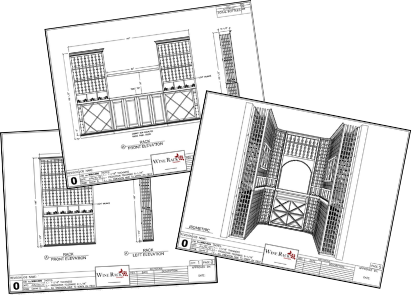
*Pictures are renderings. Actual wine racks may look different
A polished cellar can still be difficult to manage if you can't quickly tell what's on each rack. The best way to inventory a wine collection is to record each bottle in an app, spreadsheet, or ledger, including the producer, wine, vintage, quantity, and exact storage location. Add purchase details and drinking windows if they help you make decisions, and update the record whenever bottles enter or leave.
Whether you're tracking a carefully selected group or a growing cellar, the best system is one you'll keep current. This guide covers five practical ways to record and sort bottles, count your stock, and maintain an easy-to-use inventory. Learn how to choose between digital tools and a paper ledger, assign locations that make bottles easier to find, and build simple review habits that keep your records aligned with your collection.
Key Takeaways
- Build a useful record around each bottle's identity, quantity, purchase details, and precise storage location.
- Choose a sorting method that suits how you browse, such as region, grape variety, drinking window, or rack location.
- Keep your count accurate by recording bottles as they enter or leave and reconciling the inventory with the cellar regularly.
- Use an app, spreadsheet, or ledger you'll maintain consistently, and make sure the record can be recovered if it's lost.
- When your collection needs a more considered physical layout, explore how custom wine storage and cooling can support it.
Table of Contents
1. Inventory fields and recordkeeping
The best way to inventory a wine collection is to give every bottle a consistent, searchable record. Start with the producer, wine name, vintage, format, quantity, and exact storage location. Add the purchase date, source, and amount paid to preserve useful provenance. Distinguish a single bottle from a case, and a specific rack position from a general cellar room.
Record wine type and vintage as separate details. Type might be red, white, rosé, sparkling, or fortified; vintage is the harvest year shown on the label. These fields distinguish similar bottles, such as the same producer's Cabernet Sauvignon from different vintages. Include origin and grape variety or blend when known, especially if region or style influences your choices.
Build the record with fields that help identify, locate, and manage each bottle:
- Identity: producer, wine name or cuvée, type, vintage, origin, and grape variety or blend.
- Format and count: bottle size and quantity, recorded separately so large formats aren't mistaken for standard bottles.
- Location: cellar, rack, shelf, and position, using a consistent code such as "North wall, rack B, shelf 2."
- Purchase details: purchase date, source, and price paid, recorded from the receipt or other purchase record.
- Planning notes: drinking window, tasting notes, pairing ideas, and consumption date when relevant.
Tasting notes turn a list of labels into a useful record of experience. Keep them brief and consistent: note aroma, acidity, tannin, body, finish, and whether you'd open the wine again. For example, describe a Pinot Noir as "red fruit, light body, bright acidity" rather than recording an unstructured impression. Add the tasting date and meal pairing to give future choices context.
Inaccurate records can make it harder to substantiate which bottles you owned, their quantity, or what you paid if you later need to document a claim or sale. A wrong vintage or missing purchase detail can also make a bottle harder to identify or describe accurately to a buyer.
Use the same format for every entry, whether you keep the record in a spreadsheet, app, or ledger. If a label is partly hidden, enter the producer and wine name when you can read them, then update the vintage and location later. Record each bottle's storage position instead of relying on memory, and include temperature observations only if they help you monitor the cellar. When you open or acquire a bottle, promptly update its quantity and consumption or purchase details.
2. Organizing by region, variety, producer, drinking window, style, or location code
Choose a sorting structure based on how you select wine. A region-first arrangement groups bottles from Bordeaux, Napa Valley, or the Willamette Valley. A variety-first system makes Cabernet Sauvignon, Pinot Noir, and Chardonnay easy to browse. If you often choose by producer, keep each winery's bottles together, then order them by vintage. Use inventory categories that match the physical cellar, so browsing the record leads naturally to the bottle.
Location codes connect each record to a precise place. Assign a code to each room, rack, shelf, and position, such as "Cellar A, rack 3, shelf B." Mark the same code on the inventory and a durable rack label. According to the U.S. Environmental Protection Agency, identifying specific storage locations can simplify an inventory and help ensure all items are included. A fixed-address system can make a bottle findable in thirty seconds.
Track cellar conditions separately from wine details. Record temperature and humidity readings with the date and the area measured, so changes can be compared over time. Wine should be stored at a consistent temperature around 55 degrees Fahrenheit, with humidity between 60 and 70 percent. If a cellar has distinct zones, label each reading by location instead of treating the entire room as one condition.
Drinking windows help organize bottles by when you plan to enjoy them, rather than by label alone. Add a start and end period when reliable guidance is available, then sort records into "drink soon," "hold," or "review." Treat the window as a planning aid, not a promise of how a bottle will taste. The producer, vintage, storage history, and your preferences can all inform the decision.
Create a clearly marked drink-soon section for wines you expect to open within the next two months. Keep those bottles accessible and move them forward during a cellar review every few months. A separate hold area can help prevent bottles intended for aging from being selected casually. For example, group weeknight reds apart from special-occasion Cabernet, and keep each bottle's location code current.
Keep the arrangement practical as the collection changes. If a region-first layout becomes difficult to navigate, reorganize by drinking window or location and update the codes at the same time. When your plan shows that the cellar layout itself needs more consideration, explore free wine cellar design as a way to think through how storage zones and access can work together.
3. Regular stock counts and cellar maintenance
Keep the inventory aligned with the bottles physically in the cellar. Record each purchase when it arrives and adjust the quantity as soon as a bottle is opened, gifted, or moved elsewhere. At least once a year, reconcile the full inventory against the collection. Compare entries by location and investigate mismatches before changing the count. This routine catches missed purchases and bottles removed without an update.
How often should you update and back up a wine collection inventory? Update it whenever a bottle enters or leaves, and reconcile the complete cellar count at least once a year. Keep a backup off site or in the cloud, and make sure another household member knows how the system works.
Plan storage around both the current bottle count and likely growth. Leave some rack space empty from day one, so new purchases don't force an immediate rearrangement. A dedicated cellar or cabinet can suit a collection of 50 or more bottles, while a basic wine fridge can be practical for collections under 100 bottles. Once a private collection grows past a few hundred bottles, fixed locations and consistent inventory updates become especially useful.
Capacity isn't just a single bottle total. Large formats and bottles with different shapes can take up more room than standard bottles, while cases and display rows also affect usable space. Count actual storage positions and note sections reserved for cases or oversized formats. If the cellar is nearly full, use the inventory to identify slow-moving bottles and assess where future purchases might fit.
Storage conditions also need ongoing attention. Use a thermometer and hygrometer to observe temperature and humidity, and record readings with the date and cellar area. Wine should be stored at a consistent temperature around 55 degrees Fahrenheit, with humidity between 60 and 70 percent. These conditions were covered in the previous section; here, the aim is to spot changes and respond before they become a pattern. A dedicated wine cellar cooling system can help maintain a controlled storage environment.
Give each maintenance review a clear sequence. First, count bottles by rack or storage zone. Next, compare the physical count with the inventory and correct location or quantity errors. Then check recent purchases and removals, inspect cellar readings, and note any condition concerns. Finish by saving an updated copy to the cloud or another off-site location. Make a printed or digital backup accessible to another household member, rather than storing it only on one person's phone or computer.
After the review, use the count to guide practical decisions. If occupied slots leave no room for new purchases, reconsider the cellar's capacity before adding storage. If the collection has outgrown its current arrangement, a planned layout can account for bottle access, case storage, and room to grow.
4. Taking bottles out and sorting them into broad categories
The quickest way to build an accurate catalog is to work one shelf or bin at a time. Record the bottles in that section before moving them, then sort them into broad groups such as weeknight wines, dinner-party selections, gifts, celebrations, and bottles set aside for aging. Working by location helps prevent bottles from being missed or counted twice.
To catalog bottles quickly, use one app, spreadsheet, or phone note and record each bottle as you handle it. Keep the location code beside the entry, and update the count before moving to the next rack. Identifying specific storage locations can simplify an inventory and help ensure all items are included, according to the U.S. Environmental Protection Agency.
Choose a tool that suits the size and detail of your collection. An app can make entries easy to search; a spreadsheet lets you sort by category or location; a phone note can work for a compact collection with simple records. Keep the same field order in every entry, such as "occasion, wine, vintage, quantity, location." For example, "dinner party, sparkling wine, vintage recorded, 2 bottles, rack C" is easier to scan than a note with mixed details.
Arrange the cellar to reflect those broad categories. Individual bottle slots suit wines you want to locate separately, while diamond bins can group bottles or cases. Case storage keeps unopened purchases together, and display rows make selected labels visible. Assign each area a clear code, then use it consistently in the inventory. Bottle-neck tags or small labels on rack fronts can identify wines without removing them each time.
Account for bottle shape before assigning every bottle a standard slot. Burgundy and Champagne bottles are wider than standard Bordeaux bottles, while Riesling bottles are taller. Large-format bottles can take up the space of several standard bottles. Give them a designated area rather than forcing them into a uniform row, and label the area so its capacity remains easy to understand.
When sorting, group each shelf's contents by occasion or broad style, then check that the record matches the physical arrangement. For instance, keep celebratory sparkling wines together, separate gifts from everyday selections, and reserve a distinct bin for age-worthy bottles. If one bottle serves more than one purpose, choose a primary category and add a short note in the app or spreadsheet. This avoids duplicate entries while preserving useful context.
After sorting a section, return its bottles to their assigned locations and check the visible labels against the entries. A neck tag can carry a short code, while the full record stays in the digital or paper catalog. This keeps the cellar easy to navigate and makes future counts more orderly, especially when rack styles and bottle formats vary.
5. Wine inventory apps, spreadsheets, and ledgers
The right inventory tool is one you can update every time a bottle enters or leaves. A spreadsheet offers sortable columns for details such as producer, vintage, quantity, location, and purchase information. A dedicated app can make records searchable on a phone, while a ledger provides a paper record without relying on a device.
For a spreadsheet, create one row per wine and keep each detail in its own column. Use filters to find a producer, sort by vintage, or group bottles by cellar location. Consistency matters: enter quantities as numbers, use the same spelling for regions, and avoid combining bottles from different vintages in one entry. This makes later counts and edits easier.
A wine inventory app can suit collectors who want to consult records while standing in the cellar. Before adding entries, decide which fields are essential and use them consistently. Searchable producer names and location codes can help narrow results when choosing a bottle. Start a digital inventory early; the habit becomes especially useful once a collection exceeds 50 bottles.
Barcode-based inventories add a scannable identifier to a bottle or storage position. When each code connects to a clear record, scanning can retrieve the matching entry without typing the full label. This works best when the code stays attached to the correct bottle and you update the record after a purchase or opening. A barcode should support the inventory, not replace its details.
A ledger can suit a smaller collection or anyone who prefers handwriting. Reserve a page or section for each cellar area, then record additions and removals beside the relevant entry. Leave space for changes, such as a bottle moved from a rack to a serving area. Paper records need a backup plan, such as a separate copy stored away from the cellar.
Choose a tool based on how you'll use the record. A spreadsheet suits sorting and editing; an app suits mobile searches; a ledger suits a simple paper routine. A barcode system can speed up identification when its codes and entries stay aligned. Some collectors use a digital master inventory and print a working copy for cellar reviews. Keep one authoritative record to avoid conflicting counts.
Whatever the format, record each transaction when it happens, then review the entries against the bottles at least once a year. Back up digital records in the cloud or off site, and make sure another household member can understand the system. For a new cellar layout, plan your wine cellar design.
Wine Rack Concepts
Wine Rack Concepts, LLC can connect your inventory plan with a cellar designed around your collection. If bottle counts are growing or varied formats are difficult to place, a custom wine cellar can provide organized storage and room for future additions. The Wall Wine Rack Series and Classic Series offer options to consider when planning how bottles will be grouped and accessed. Wine Cellar Cooling can support a storage plan that includes a dedicated cooling system.
Bring your priorities into the planning conversation: the types and formats you collect, how you want to arrange them, and how you use your cellar. These details help shape a storage approach that supports both your records and your physical collection. For help planning wine storage, contact Wine Rack Concepts, LLC.
Each bottle has a place in your collection's story. Let your next decisions make that story easier to enjoy.
Let your collection guide its next chapter
A well-kept inventory can do more than show what's in the cellar. Over time, it can reveal which regions, producers, and styles you return to, helping you decide what to collect and how to shape the space around it. The best way to inventory a wine collection is to use those records to guide its next stage, from the bottles you choose to how you store and enjoy them.
If your collection is changing faster than your storage can adapt, use what you've learned to plan a cellar that suits your habits and priorities. A clear vision can turn your inventory from a record of what you own into a useful guide to the collection you want to build.
Each bottle has a place in your collection's story. Let your next decisions make that story easier to enjoy.
Frequently Asked Questions
What is the best way to organize and track a large private wine collection?
Use one digital master record tied to fixed cellar locations, and make every change in that record. Give each bottle or distinct group its own entry, even when labels look similar. During a count, finish one rack before moving to another, and resolve discrepancies before continuing. Keep a dated backup separate from the cellar, so a misplaced device or damaged page doesn't erase the inventory.
When should I upgrade from a spreadsheet to a wine app?
Consider an app when your spreadsheet becomes awkward to search or update in the cellar. If you regularly need to sort records on a phone, locate a bottle by label, or make changes away from your computer, mobile access may suit your routine better. Keep the spreadsheet if it remains easy to maintain. Whichever tool you choose, save an export or backup you can access independently.
What information should a wine collection inventory include?
Capture enough detail to distinguish a bottle from similar wines and connect it to its purchase and storage history. Include the label identity, vintage, bottle format, quantity, cellar location, purchase date, source, and amount paid. Add origin, grape variety, drinking window, or tasting notes when those details influence your choices. For mixed cases, record the individual wines rather than relying on the case name alone.
What wine inventory apps or software are best for home collectors?
No single app suits every home cellar. Choose software that lets you find records using details you remember, such as producer, wine name, vintage, or location. Test your workflow with a small group of entries before adding the full collection. A spreadsheet or paper record can work just as well if that's what you prefer. Prioritize clear records, straightforward updates, and a dependable backup.
How do you organize a wine cellar by region, producer, vintage, or drinking window?
Choose one main sorting principle that matches how you usually select a bottle, then use other details as secondary filters in the inventory. For example, group first by producer and arrange that producer's wines by vintage, or group by region and flag bottles approaching their drinking window. Avoid creating overlapping physical sections for every category. A clear primary structure keeps the cellar navigable as your collection changes.
How should you record wine purchase prices, current values, and provenance?
Keep the amount paid separate from any later estimate of current value. Record the purchase date and source alongside the original receipt or invoice, then document any later valuation with its date and basis. Preserve provenance records with the matching inventory entry, especially when a bottle changes hands. This creates a clear history without treating the purchase price as proof of a bottle's present market value.
How do you track drinking windows and know when to open each bottle?
Enter a drinking window when reliable guidance is available for that specific wine, and keep it distinct from your preferred opening date. Review upcoming windows as part of cellar planning, then mark bottles you intend to open soon. Record when each bottle is consumed and, if useful, whether it seemed ready to drink. That personal note can inform future choices without changing the wine's original window.
How can you inventory a large wine collection without mislabeling bottles?
Work in one clearly defined cellar area at a time, and keep bottles from unrecorded areas out of the active counting zone. Match the visible producer, wine name, and vintage before saving an entry; don't infer details from a nearby bottle. If a label can't be read, mark the entry for later identification rather than guessing. Review the completed area against its physical contents before moving on.
Have an expert help today!
Free 2D wine cellar design